Tips for Creating a Cozy and Functional Home Workspace
Creating a home workspace that balances comfort with functionality is essential for anyone working remotely or spending significant time at home. A well-designed workspace can boost productivity, reduce stress, and keep you motivated throughout the day. In this post, we’ll explore helpful tips to set up a cozy and practical home workspace that suits your needs.
Choose the Right Location
Finding the ideal spot for your home workspace is the first step. Consider these factors:
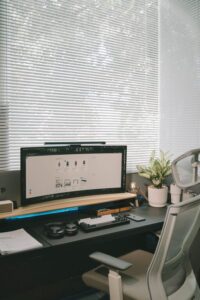
– Natural Light: Position your desk near a window if possible. Natural light improves mood and reduces eye strain.
– Low Traffic Areas: Pick a quiet place away from household noise and disruptions.
– Space Availability: Make sure you have enough room for your desk, chair, and any essential equipment.
If space is limited, don’t worry—there are plenty of creative ways to carve out a dedicated work nook.
Invest in Comfortable Furniture
Your furniture choices can make a big difference in comfort and productivity.
Desk
Choose a desk that fits your available space and work habits. Standing desks or adjustable desks are great if you want to alternate between sitting and standing.
Chair
Select an ergonomic chair that supports your posture. A good chair reduces back pain and fatigue, helping you stay focused longer.
Accessories
Consider adding a footrest, monitor stand, and keyboard tray to improve ergonomics and comfort.
Organize Efficiently
Keeping your workspace tidy enhances focus and reduces distractions.
– Declutter Regularly: Remove unnecessary items to maintain a clear workspace.
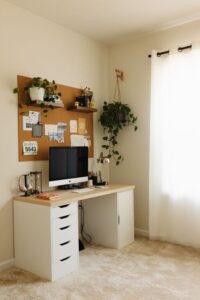
– Storage Solutions: Use shelves, drawers, or organizers to keep supplies and documents within reach but out of the way.
– Cable Management: Use clips or sleeves to manage cords and reduce clutter.
Add Personal Touches for Coziness
Making your workspace cozy can help you feel more relaxed and motivated.
– Textiles: Add a soft rug or cushion to your chair for warmth and comfort.
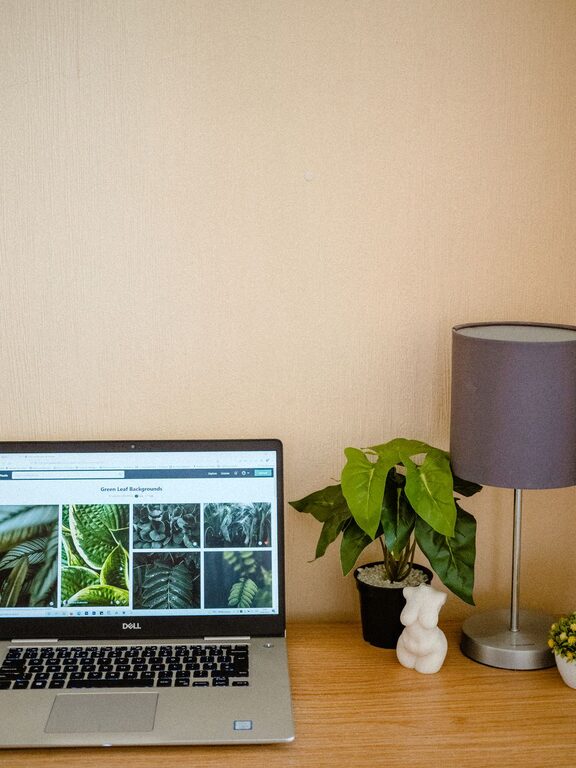
– Plants: Incorporate indoor plants to purify the air and add natural beauty.
– Lighting: Use adjustable lighting options like desk lamps or warm-toned bulbs to complement natural light.
Optimize Technology Setup
Smooth tech operation is essential for a functional workspace.
– Reliable Internet: Ensure strong Wi-Fi connectivity or use a wired connection if possible.
– Quality Equipment: Invest in a good monitor, keyboard, mouse, and headset as needed.
– Backup and Charging: Keep chargers and backup solutions handy to avoid interruptions during work.
Establish Work Boundaries
A clear separation between work and home life improves focus and balance.
– Set Defined Work Hours: Use a schedule to know when to start and stop working.
– Use Visual Cues: A closed door or specific desk setup can signal work time to others.
– Take Breaks: Step away from your desk regularly to stretch and rest your eyes.
Personalize with Inspiration and Motivation
Incorporate elements that inspire you to stay productive.
– Vision Board: Create a small board with your goals and achievements.
– Art and Photos: Hang pictures or artwork that bring joy and motivation.
– Office Supplies: Use colorful pens, notebooks, or gadgets that make work more enjoyable.
Maintain Good Air Quality and Comfort
Air circulation and temperature influence how comfortable your workspace feels.
– Ventilation: Open windows when possible or use a fan or air purifier.
– Temperature Control: Use a heater or fan to keep comfortable throughout different seasons.
Wrapping Up
Designing a cozy and functional home workspace isn’t just about aesthetics—it’s about creating an environment where you can concentrate and feel at ease. By choosing the right location, investing in comfortable furniture, keeping your space organized, and personalizing your surroundings, you can build a workspace that supports your best work every day.
Remember, small changes can have a big impact. Start with a few tips and adjust over time to find what works best for you!