Tips for Creating a Productive Home Office Environment
Creating a productive home office environment is essential for anyone working remotely or managing tasks from home. A well-designed workspace can improve focus, reduce stress, and enhance overall job satisfaction. Whether you are setting up a new office or improving an existing space, this guide will help you create a home office that supports your work and wellbeing.
Choose the Right Location
Find a Dedicated Space
Start by selecting a spot in your home that can be dedicated solely to work. This separation helps your brain distinguish between work time and leisure, increasing productivity. Ideally, choose a quiet area with minimal distractions, such as a spare room, corner of a bedroom, or a section of the living room that can be clearly defined.
Consider Natural Light
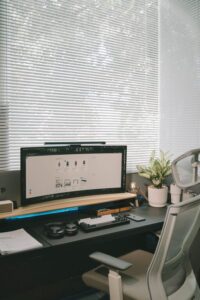
Natural light is a natural mood booster and helps reduce eye strain. Position your desk near a window when possible, but be mindful of glare on your screen. If natural light is limited, invest in good quality, adjustable lighting that mimics daylight.
Invest in Comfortable Furniture
Ergonomic Chair and Desk
Your comfort is key to maintaining focus throughout the day. An ergonomic chair with adjustable height, lumbar support, and comfortable padding will support healthy posture. Pair it with a desk at the right height to prevent strain on your wrists and shoulders.
Desk Organization
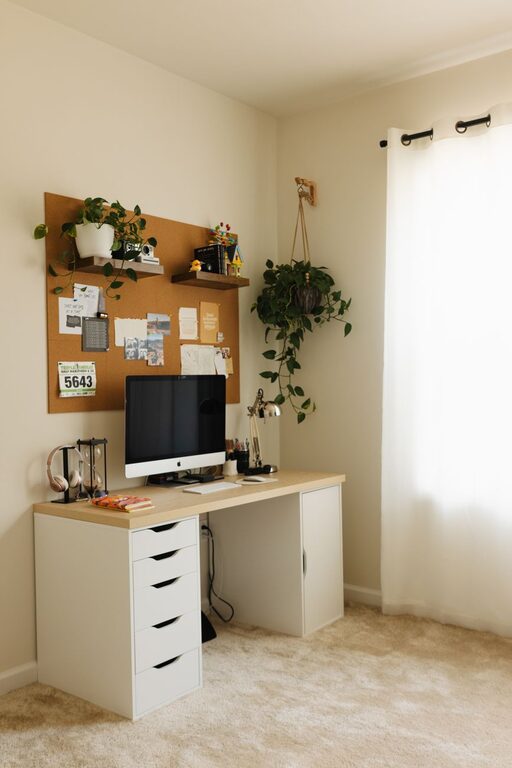
Choose a desk that fits your work style—whether you prefer a large surface for spreading out papers or a smaller setup to keep your area minimal. Ensure you have enough storage or use organizers to keep supplies handy but uncluttered.
Minimize Distractions
Control Noise Levels
Almost every home has some level of noise, from family members to street sounds. Use noise-canceling headphones or soft background music, like instrumental tunes or white noise, to mask distractions.
Set Boundaries
Communicate your work hours to family or housemates to reduce interruptions. Use signage or signals if needed, such as a “working” light or closed door, to remind others when you shouldn’t be disturbed.
Optimize Technology and Tools
Reliable Internet and Equipment
A strong, stable internet connection is a must-have for remote work. Test your connection and upgrade if necessary. Use reliable devices such as a laptop or desktop with up-to-date software. Add accessories like external monitors, a quality keyboard, or a webcam for video meetings.
Stay Organized Digitally
Keep your files and documents well-organized on your computer with clear folders and regular backups. Productivity apps and tools can also help streamline tasks, calendars, and communication.
Personalize Your Space
Add Motivating Elements
Incorporate items that inspire and motivate you. This might include plants that improve air quality and bring a sense of calm, art or photos that make you happy, or a vision board to keep your goals in sight.
Maintain a Clean Environment
A tidy workspace reduces stress and helps you find things quickly. Develop a daily or weekly routine to declutter your desk and organize supplies.
Manage Your Time Effectively
Create a Daily Routine
Establish clear start and finish times, including regular breaks to avoid burnout. Use techniques like the Pomodoro method, which alternates focused work sessions with short rests.
Prioritize Tasks
Plan your day using a to-do list or planner, highlighting the most important tasks first. This helps maintain focus and provides a sense of accomplishment.
Keep Health and Wellness in Mind
Stay Active
Working from home can mean long hours seated. Take movement breaks to stretch, walk, or exercise. This refreshes your body and mind.
Pay Attention to Ergonomics
Arrange your monitor at eye level, keep your wrists straight while typing, and use a footrest if needed. Proper ergonomics prevent discomfort and injury.
—
Creating a productive home office is about balancing comfort, functionality, and personal style. By thoughtfully setting up your workspace and habits, you can enjoy a more enjoyable and efficient workday at home. Remember, small changes can make a significant difference in your productivity and well-being.